An app by 2eme-G
One notes app. For you, for home, for the team.
Write it down in seconds: type it, say it or snap a photo. BulleNote files everything and reminds you at the right time.
Free for one person. Installs on Android, iPhone, Mac and PC, straight from the browser. Google Play version in preparation.Call the garage back about the service
Dictated by voice, reminder set by itselfShopping: milk, eggs, bread. Lea’s dentist Tuesday 5pm
The note on the fridge, sent to everyoneDurand quote to send before Friday
Shared with Marc, everyone keeps private notes“Oh, you use BulleNote too?”
Everyone installs BulleNote on their own. The day you want to do something together, you connect in ten seconds and share the notes you choose.
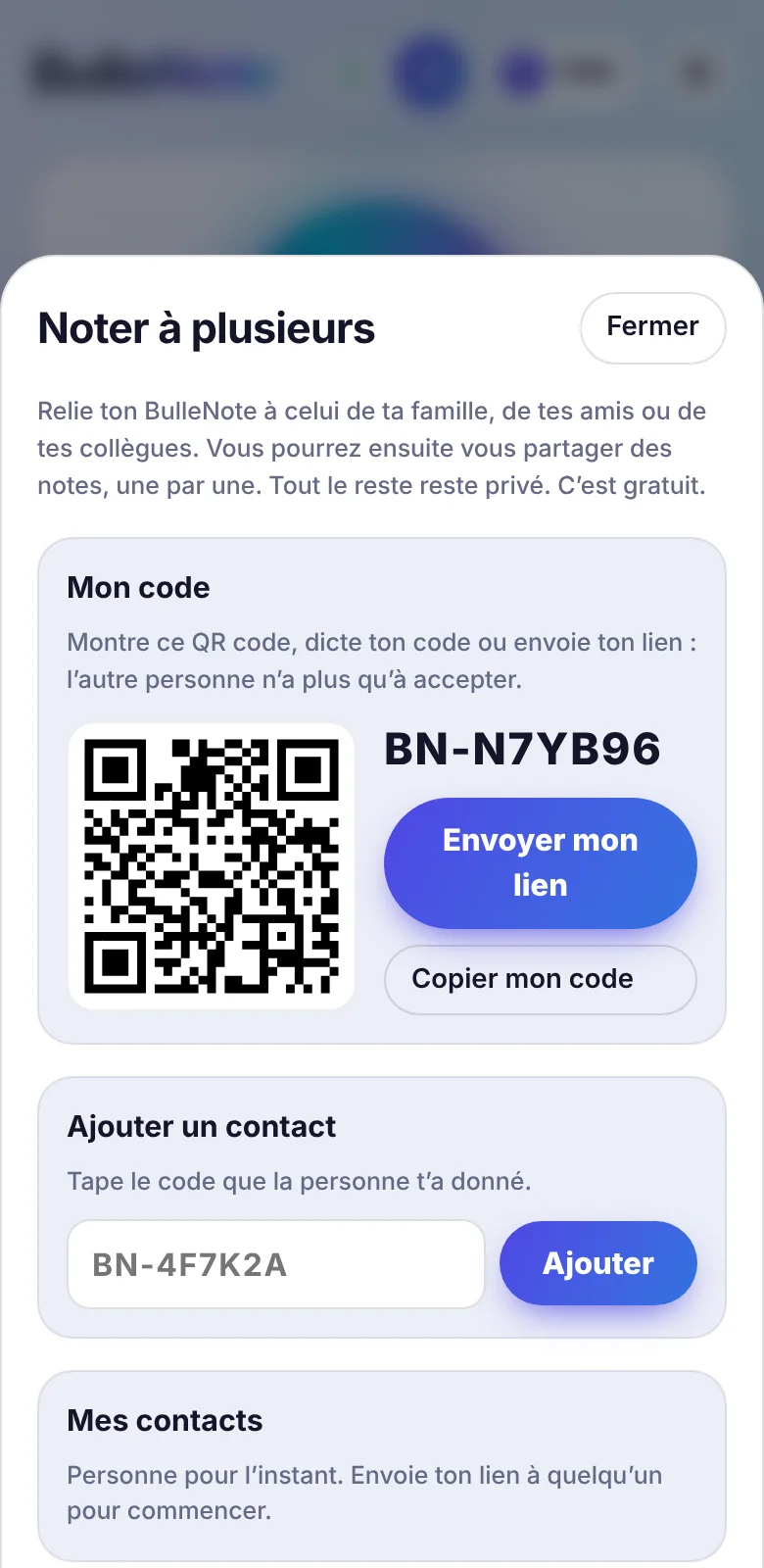
- Show your QR codeOr read out your code, or send your link by WhatsApp. The other person accepts.
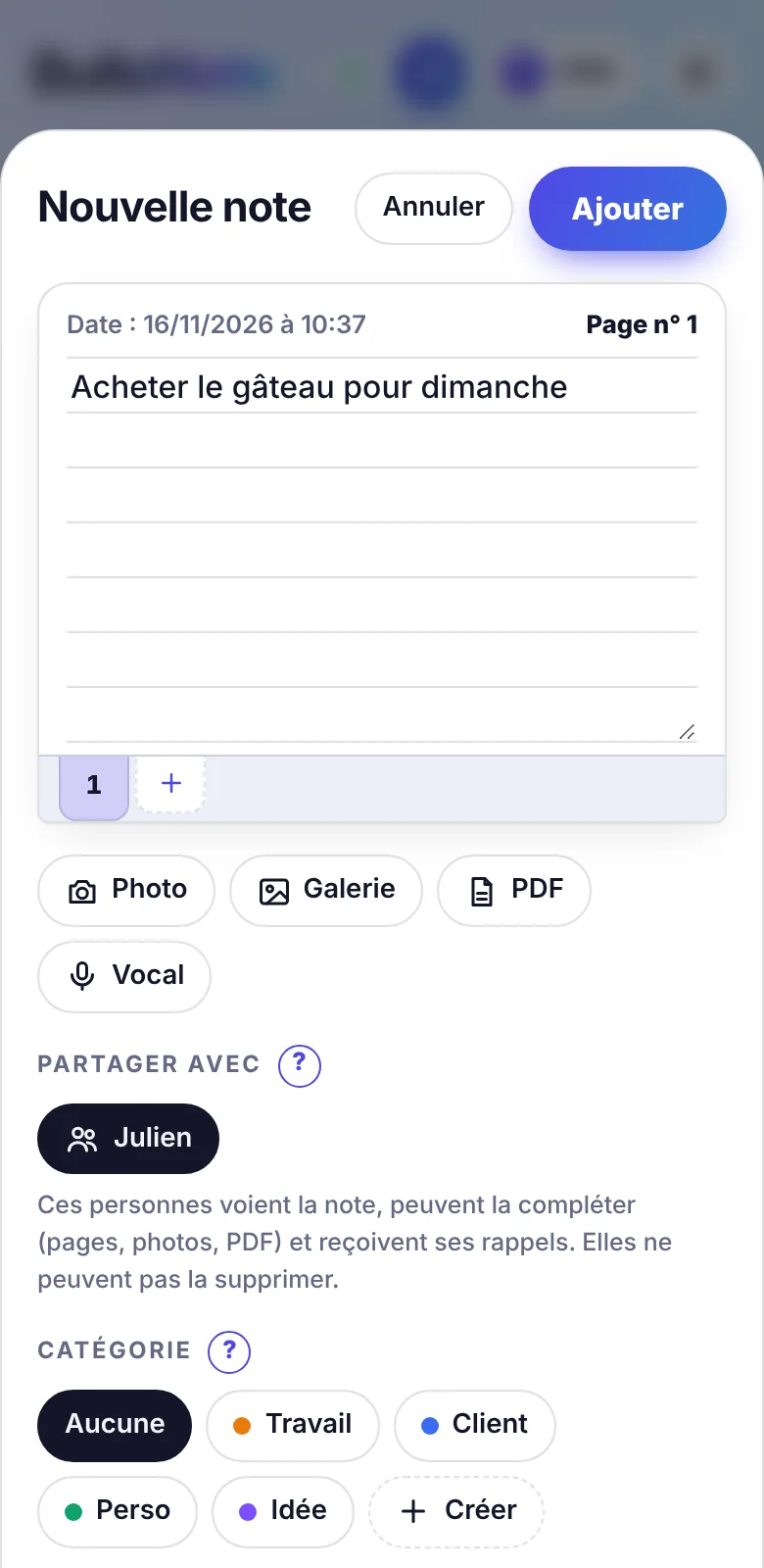
- Share a noteShopping, a building job, the birthday to organise: you pick the note and the person.
- Move forward togetherEveryone adds to it, everyone gets the reminder. Your other notes stay private.
Free, for two or for ten. With family, friends, colleagues.
What it looks like
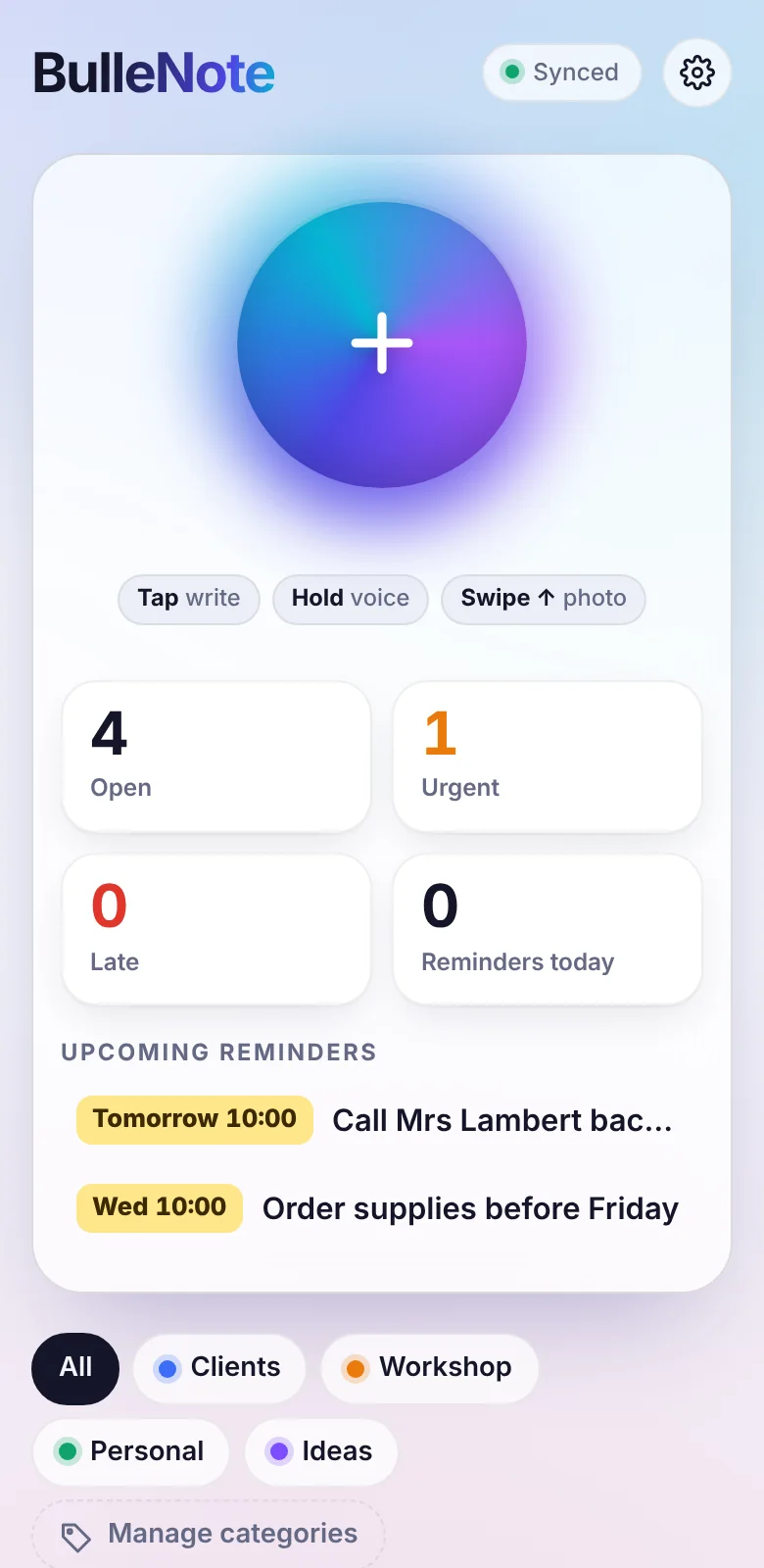
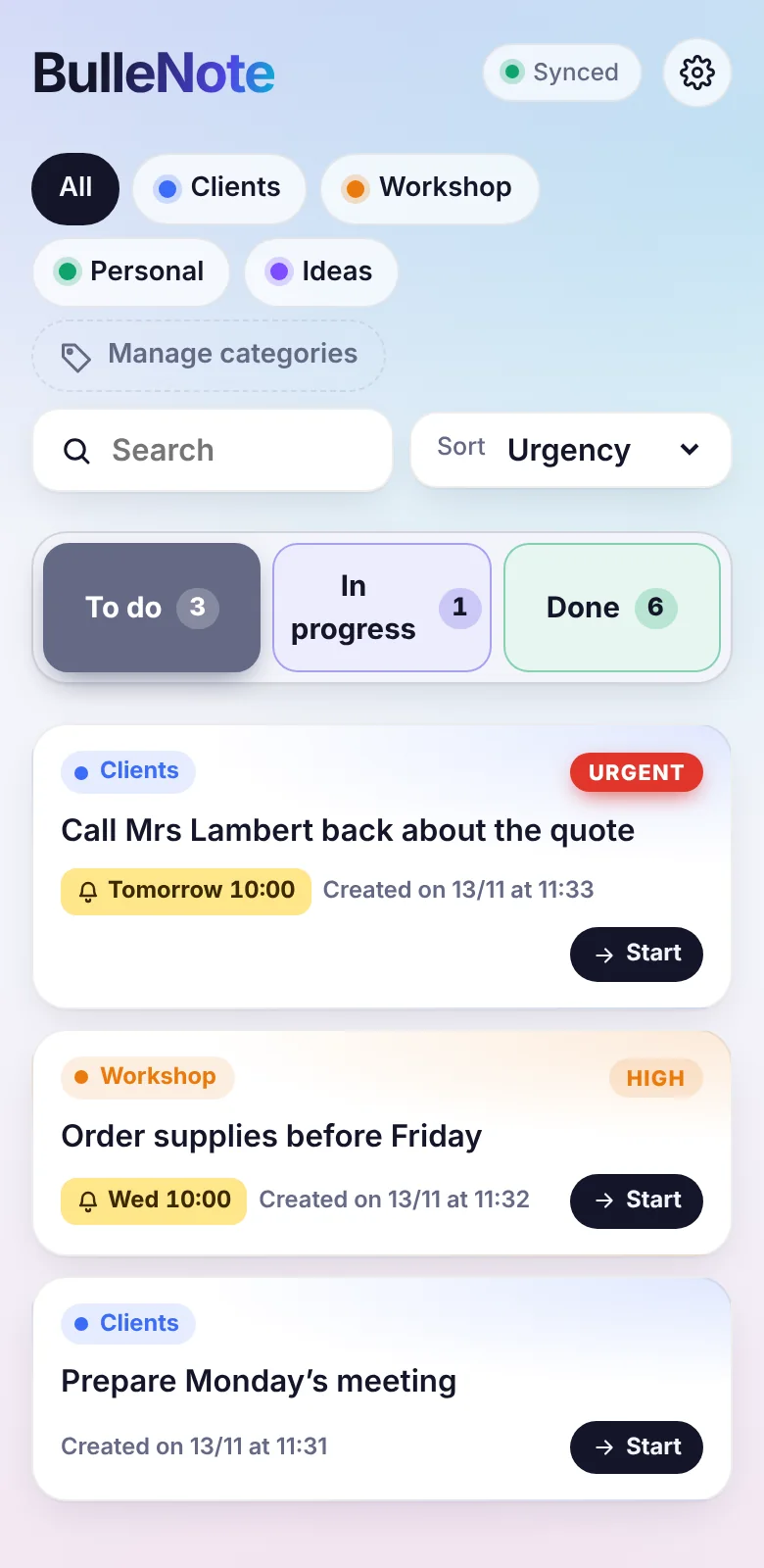
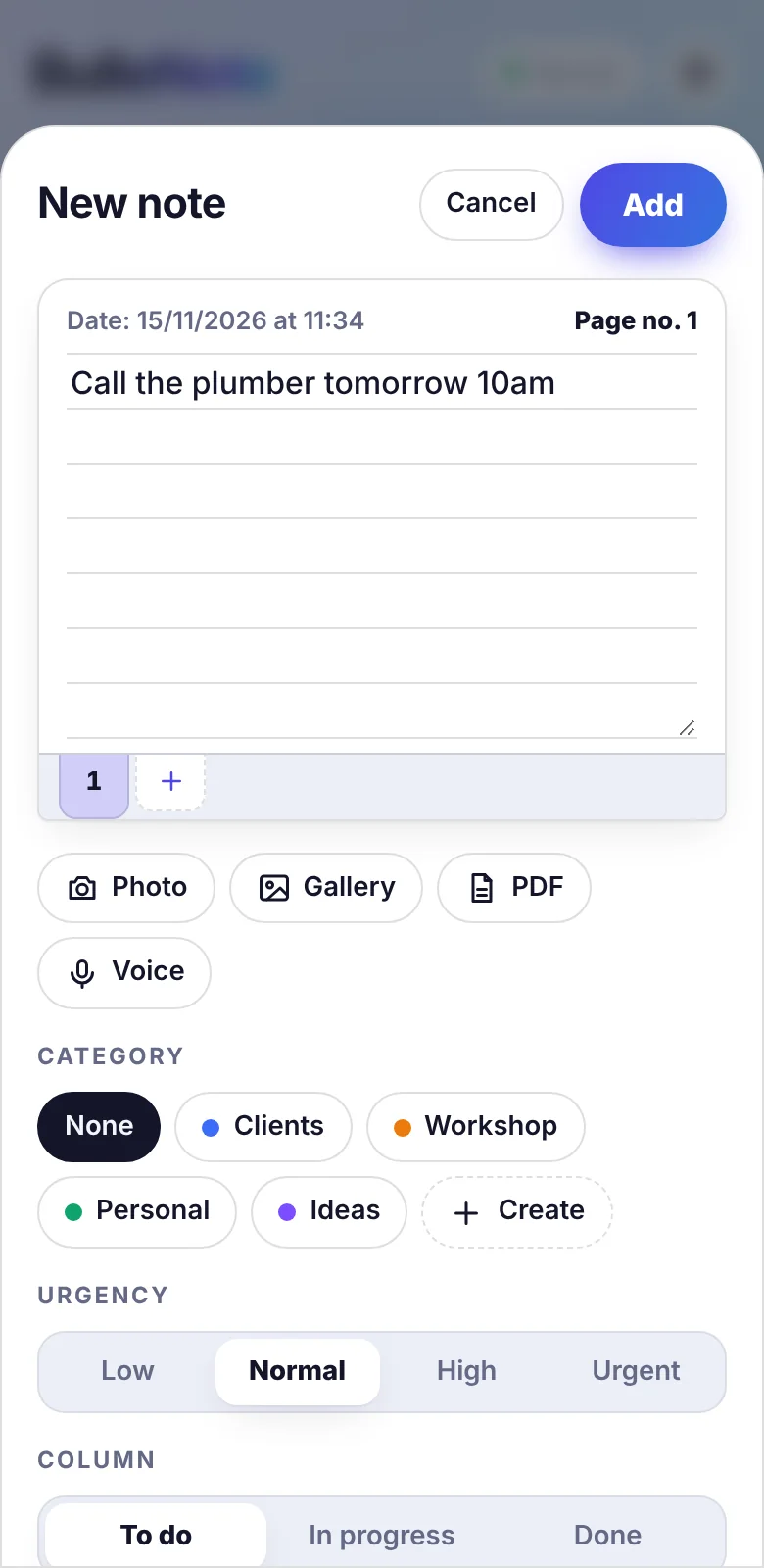
One bubble to take a note: tap to type, hold to dictate, swipe for a photo. Then three columns: To do, In progress and Done.
What BulleNote does
Write, dictate or snap a photo
A note can be text, a voice message, a photo or a PDF. Voice notes are transcribed automatically so they stay readable and searchable.
Reminders that set themselves
Write tomorrow 10am or Monday in a note: the reminder is created with nothing to set up. The notification arrives even when the app is closed.
A three-column board
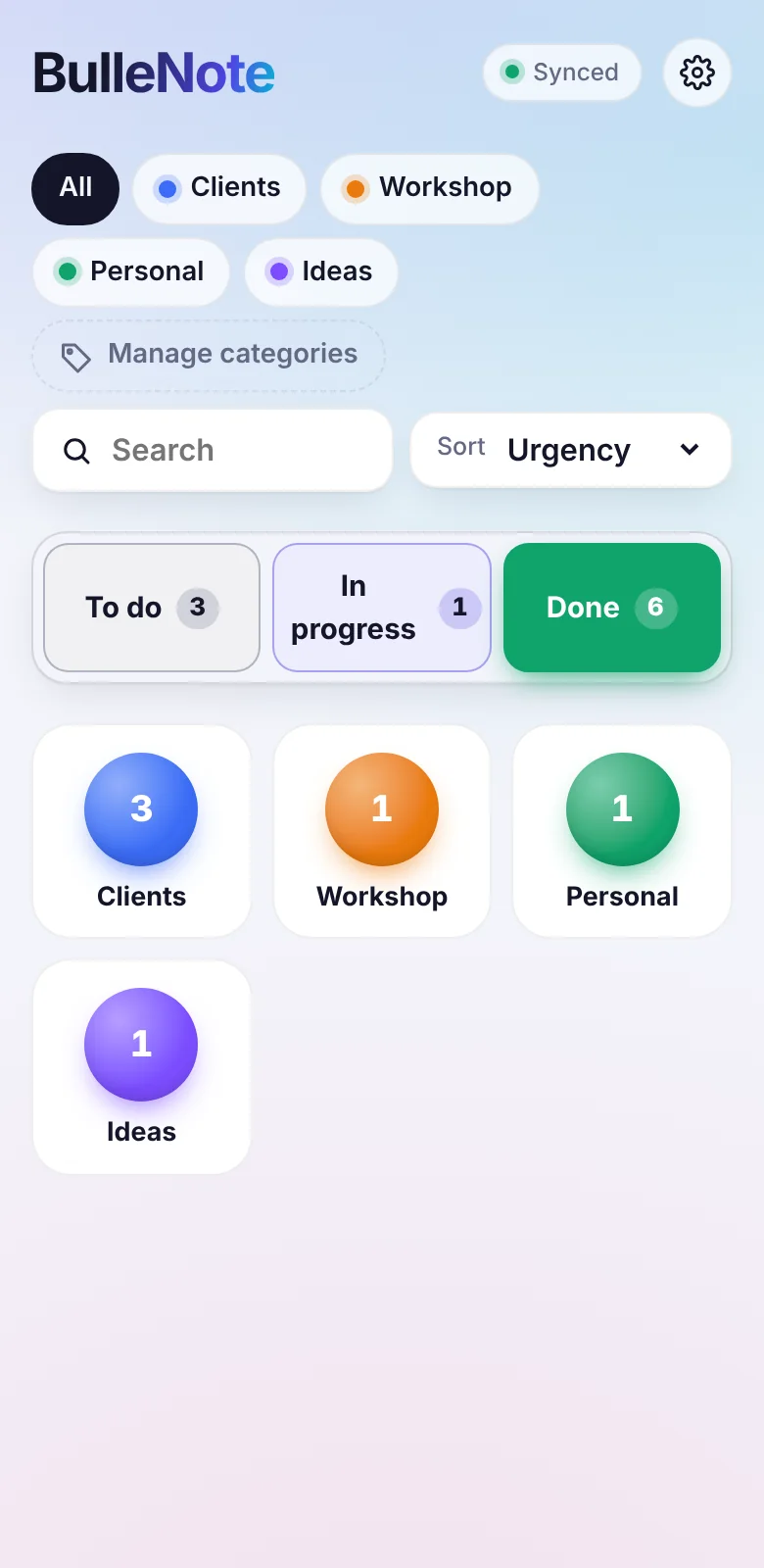
To do, In progress, Done. See at a glance what is urgent, what is late and what is moving.
Your categories, your colours
Clients, workshop, personal: create the categories that fit your business. Each note takes the colour of its category.
Notes that grow
A job that lasts? Add pages to the same note, like a notebook, with the date of each addition.
Everywhere, even offline
Phone, tablet, computer: your notes follow you. With no network you keep writing, and everything syncs afterwards.
What is done stays easy to find
Finished notes are filed in one drawer per category. Open a drawer to review them by date, or search a name to find a closed job months later.
The note on the fridge. In every pocket.
Shopping, the dentist, the bins: write it once, and the whole household is reminded at the right time.
Open BulleNotePricing
BulleNote is free, alone or together, with no time limit.
For you
€0
no time limit
- Written, voice, photo and PDF notes
- Reminders and notifications
- Categories and three-column board
- All your devices
- 100 MB of storage
Together
€0
Everyone installs BulleNote on their own, then you connect with a code, a QR code or a link.
- Family, friends, colleagues
- A code, a QR code or a link to connect
- Notes shared one by one, with whoever you want
- Your other notes stay private
- Reminders reach everyone
Frequently asked questions
Are my notes private?
Yes. Only you can see your notes, except those you choose to share with a contact. Being connected to someone shows them nothing: only the notes you share, one by one, are visible to them. BulleNote sells no data.
How do I install BulleNote on my phone or computer?
Open BulleNote and create your account: an “Install” banner guides you. On Android and on a computer (Chrome, Edge), one click is enough. On iPhone and iPad, tap the Share button then “Add to Home Screen”. On a Mac with Safari, File menu then “Add to Dock”. BulleNote then opens like an app, with no app store needed.
Can we use BulleNote as a family?
Yes, and it is free. Everyone installs BulleNote on their phone, then you connect with the “Together” button: a code, a QR code or a link is enough. You then share the notes you choose (shopping, appointments), and everyone keeps their private notes.
How do I share notes with someone?
In the app, tap “Together”: you will find your code, your QR code and a link to send by WhatsApp or text. The other person accepts, and you are connected. To share a note, open it and choose the person under “Share with”.
Can I stop whenever I want?
Yes. The monthly subscription has no commitment. You can also export your notes or delete your account at any time from the app settings: your data is then erased.
Is BulleNote available in French?
Yes. The app asks for your language the first time you open it, and you can change it in the settings.
Your first note takes ten seconds.
Open BulleNoteDesigned by people from the field: thirty years of manufacturing, retail, sales and running a business. Not by a design office. Our story